Autosave
Start typing and leave when you're done. Notes are saved automatically.
CodePad+ is a lightweight Android text editor for notes, code snippets, configuration files, and everyday plain-text work—without turning into a full IDE.
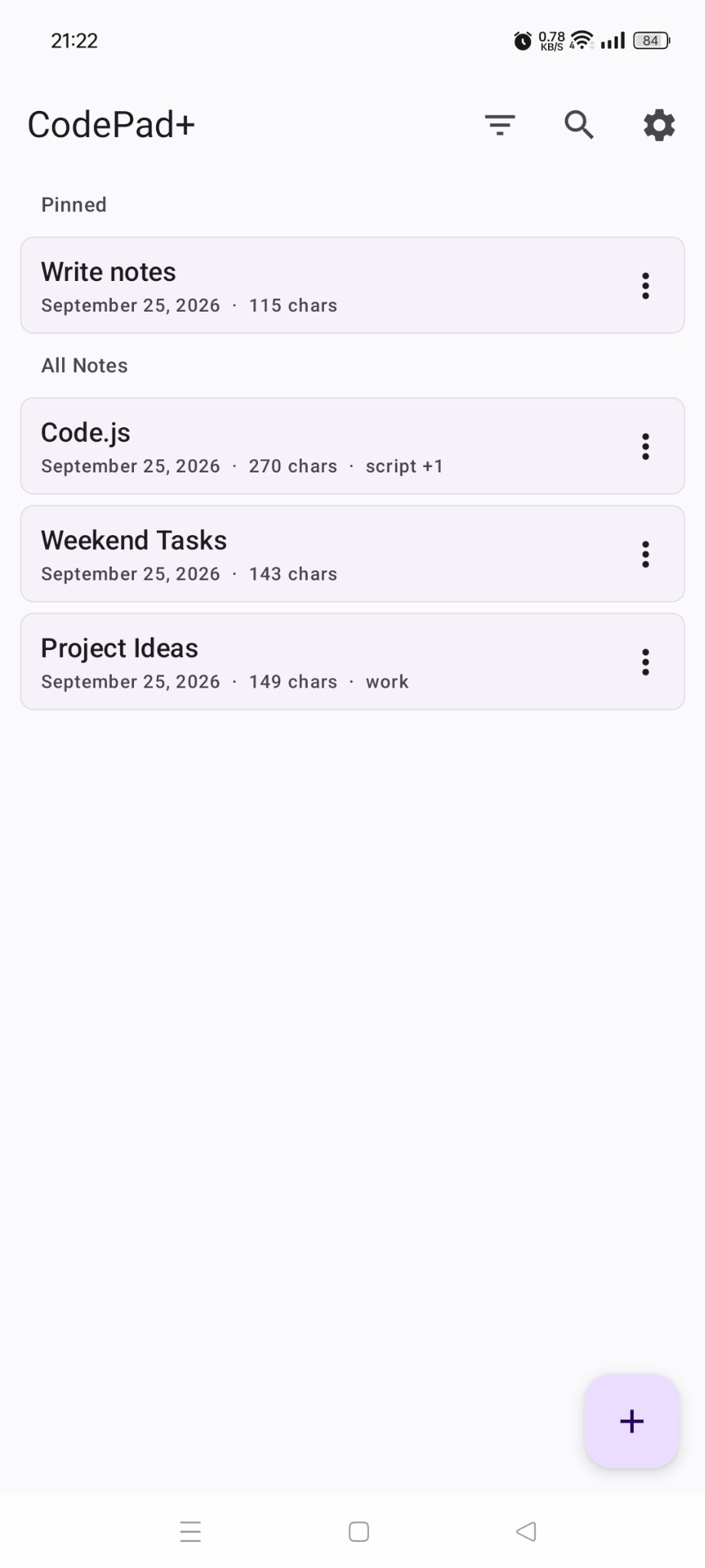
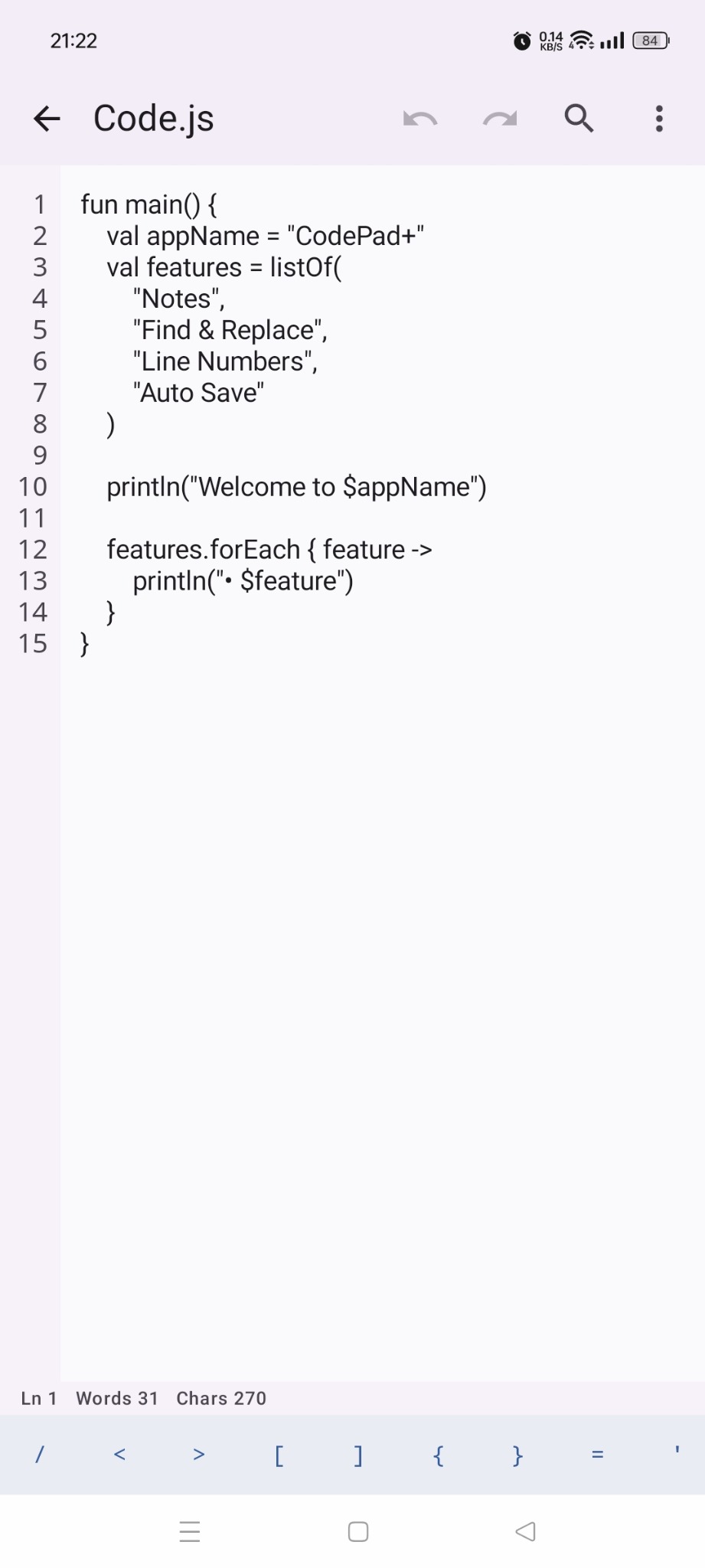
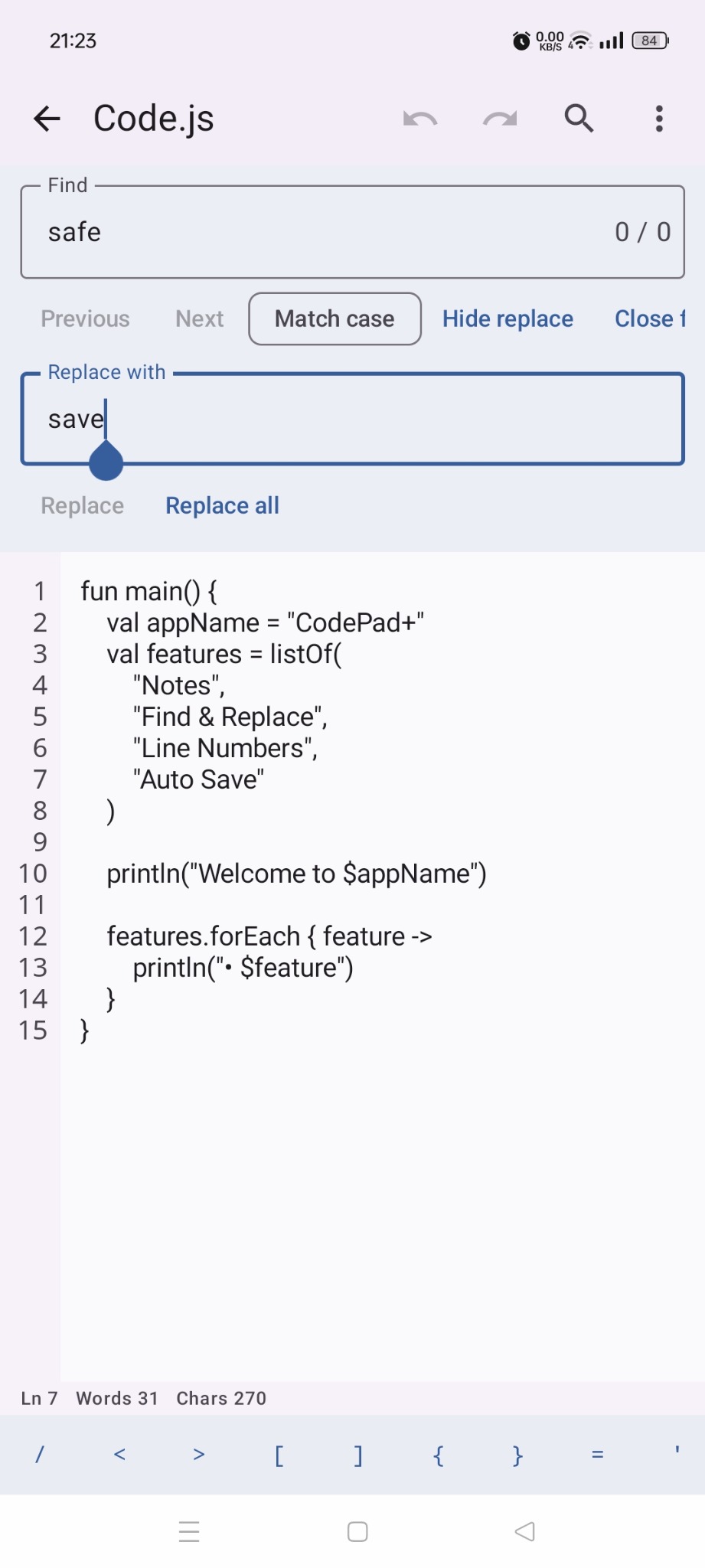
CodePad+ keeps the core editing experience simple while giving you the utilities that matter on a phone.
Start typing and leave when you're done. Notes are saved automatically.
Turn logical line numbers on for code and off when you want a cleaner note.
Navigate matches, replace one result, or replace every occurrence in a document.
Organize notes with multiple tags and keep important notes pinned at the top.
Import supported text and code files directly from Android's file manager.
Back up your library to JSON or export all notes as individual files in a ZIP archive.
This section intentionally replays its entrance effect whenever you scroll away and return.
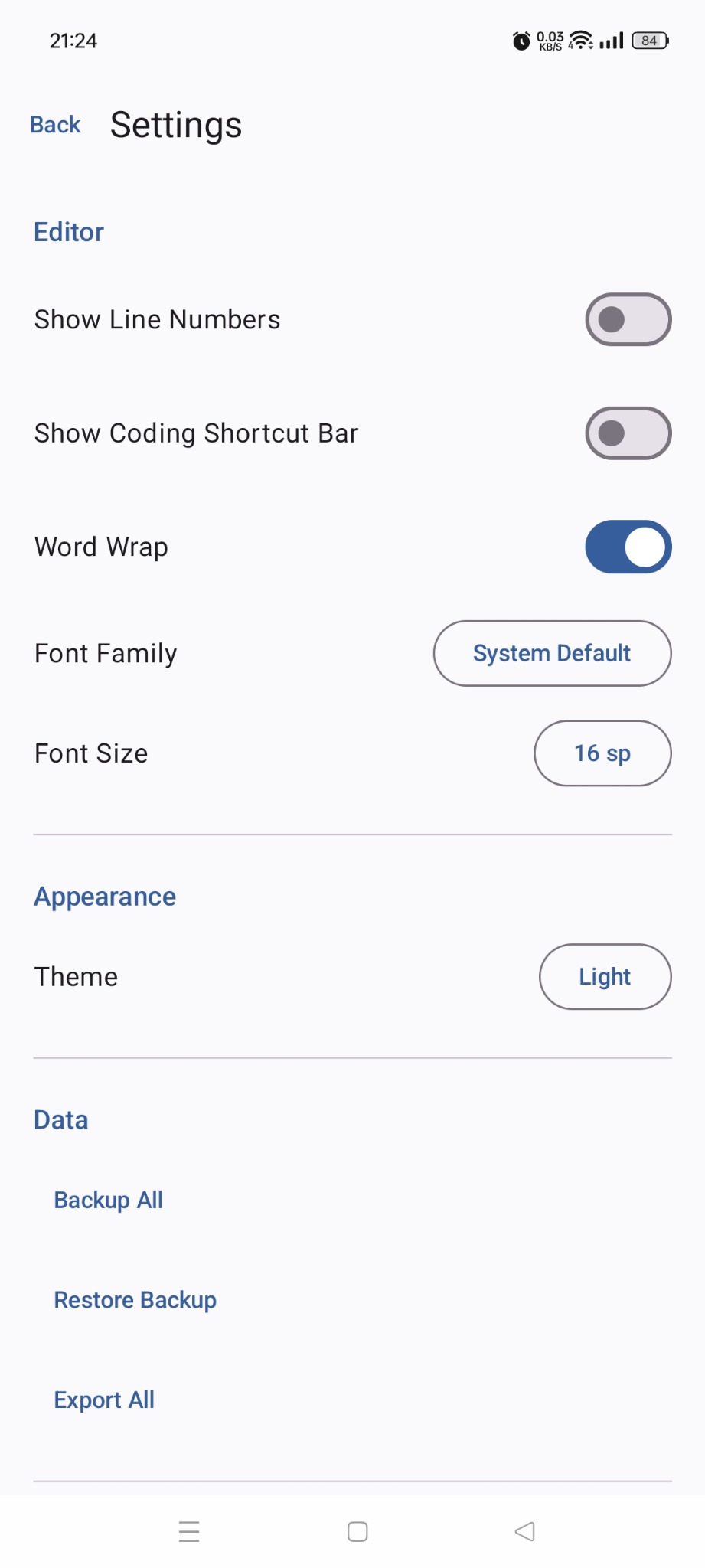
CodePad+ is intentionally not a compiler or full IDE. It focuses on fast, reliable plain-text editing: notes, snippets, configs, logs, markup, and source files you want to inspect or modify quickly.
Choose CodePad+ from Android's Open with menu.
The file becomes an internal CodePad+ note instead of being edited in place.
Use autosave, Find & Replace, tags, counters, and editor shortcuts.
Save As with the original extension or export your whole library.
Turn off line numbers and use CodePad+ as a compact local notepad.
Keep line numbers, coding shortcuts, monospace fonts, and Find & Replace available when you need them.
Open JSON, XML, Markdown, YAML, logs, and other text-based files directly from your file manager.
CodePad+ does not depend on a cloud account. Backup All creates a portable JSON backup, while Export All creates a ZIP containing individual note files.
The current version does not require an account or cloud synchronization. Read the full policy for details.
No. It is a lightweight plain-text editor for notes, code snippets, and text-based files.
No. The current version works with local notes and does not require sign-in.
Yes, CodePad+ supports common text and code file types through Android's Open with flow.
No. External files are imported as internal notes. You can export them again using Save As.
A compact Android editor for notes, snippets, configs, and everyday plain-text files.